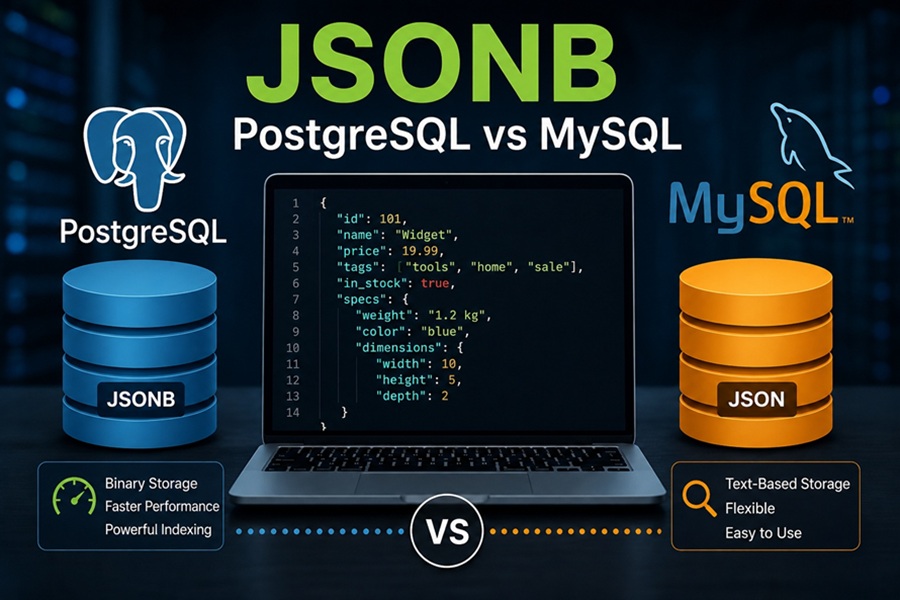
DISCLAIMER: Image is generated using ChatGPT.
I am currently working on a project at work where I had to store JSON data into PostgreSQL database. My instant question was, what should be the data type of the new column. After a little research, I found out about JSONB. It worked for me as I was dealing with PostgreSQL database.
In this post, I will share limited knowledge, so far, about JSONB.
The B in JSONB stands for Binary.
How it is different from regular JSON?
Well for JSON, it is saved as raw string of text but for JSONB, the database parses the JSON string and stores it in a decomposed binary formats.
JSONB is not a universal SQL standard data type, though the ability to handle JSON is standard.
The name JSONB and its exact binary implementation originate from PostgreSQL. Other databases handle binary JSON storage differently.
Benefits
1. Faster Query
Because the data is pre-parsed, the database doesn’t have to re-evaluate the text string every time you run a query.
2. Data Integrity
A
JSONBcolumn enforces stringJSONsyntax validation. If an application tries to insert a malformedJSONstring, the database will reject it.
3. Efficient Space Serialisation
Duplicate keys are automatically removed, object keys are sorted and whitespace is stripped away.
For demo purpose, I will create the PostgreSQL and MySQL database services inside a Docker container.
This is my docker compose configuration:
File: docker-compose.yml
services:
  postgres:
    image: postgres:latest
    container_name: local-postgres
    environment:
      POSTGRES_PASSWORD: mysecretpassword
    ports:
      - "5432:5432"
    volumes:
      - pgdata:/var/lib/postgresql

  mysql:
    image: mysql:latest
    container_name: local-mysql
    environment:
      MYSQL_ROOT_PASSWORD: mysecretpassword
    ports:
      - "3306:3306"
    volumes:
      - mysqldata:/var/lib/mysql

volumes:
  pgdata:
  mysqldata:
Let’s start the services:
$ docker compose up -d
[+] up 5/5
 ✔ Network db-jsonb_default  Created         0.0s
 ✔ Volume db-jsonb_pgdata    Created         0.0s
 ✔ Volume db-jsonb_mysqldata Created         0.0s
 ✔ Container local-postgres  Started         0.2s
 ✔ Container local-mysql     Started         0.2s
Check the status now:
$ docker compose ps
NAME             IMAGE             COMMAND                  SERVICE    CREATED          STATUS          PORTS
local-mysql      mysql:latest      "docker-entrypoint.s…"   mysql      19 seconds ago   Up 18 seconds   0.0.0.0:3306->3306/tcp, [::]:3306->3306/tcp, 33060/tcp
local-postgres   postgres:latest   "docker-entrypoint.s…"   postgres   19 seconds ago   Up 18 seconds   0.0.0.0:5432->5432/tcp, [::]:5432->5432/tcp
We will start with PostgreSQL database first:
$ docker exec -it local-postgres psql -U postgres
psql (18.4 (Debian 18.4-1.pgdg13+1))
Type "help" for help.

postgres=# CREATE TABLE users (
    id SERIAL PRIMARY KEY,
    profile JSONB NOT NULL
);
CREATE TABLE
postgres=#
Time to add some data (10,000 rows), to the table users.
postgres=# INSERT INTO users (profile)
SELECT jsonb_build_object(
    'name', 'User_' || i,
    'age', (random() * 50 + 18)::int,
    'location', jsonb_build_object(
        'city',    CASE WHEN i % 2 = 0 THEN 'London' ELSE 'New York' END,
        'country', CASE WHEN i % 2 = 0 THEN 'UK' ELSE 'US' END
    ),
    'skills', ARRAY['SQL', 'Python', 'Perl']::text[]
)
FROM generate_series(1, 10000) AS i;
INSERT 0 10000
Finally, find user where age is 30:
postgres=# SELECT profile->>'name' AS user_name
FROM users
WHERE profile->>'age' = '30';
 user_name
-----------
 User_76
 User_143
 User_165
 User_168
 User_213
 User_404
 User_432
...
...
So that’s done for PostgreSQL, we will now re-create the same using MySQL database.
$ docker exec -it local-mysql mysql -u root -pmysecretpassword
mysql: [Warning] Using a password on the command line interface can be insecure.
Welcome to the MySQL monitor.  Commands end with ; or \g.
Your MySQL connection id is 9
Server version: 9.7.1 MySQL Community Server - GPL

Copyright (c) 2000, 2026, Oracle and/or its affiliates.

Oracle is a registered trademark of Oracle Corporation and/or its
affiliates. Other names may be trademarks of their respective
owners.

Type 'help;' or '\h' for help. Type '\c' to clear the current input statement.

mysql> CREATE DATABASE IF NOT EXISTS testdb;
Query OK, 1 row affected (0.018 sec)

mysql> USE testdb;
Database changed
mysql> CREATE TABLE users (
    ->     id INT AUTO_INCREMENT PRIMARY KEY,
    ->     profile JSON NOT NULL
    -> );
Query OK, 0 rows affected (0.022 sec)

mysql>
Adding, 10,000 rows into MySQL table is a bit tricky using SQL command.
mysql> SET SESSION cte_max_recursion_depth = 10000;
Query OK, 0 rows affected (0.000 sec)

mysql> INSERT INTO users (profile)
    -> WITH RECURSIVE seq AS (
    ->     SELECT 1 AS i
    ->     UNION ALL
    ->     SELECT i + 1 FROM seq WHERE i < 10000
    -> )
    -> SELECT
    ->     JSON_OBJECT(
    ->         'name', CONCAT('User_', i),
    ->         'age', FLOOR(18 + (RAND() * 50)),
    ->         'location', JSON_OBJECT(
    ->             'city', IF(i % 2 = 0, 'London', 'New York'),
    ->             'country', IF(i % 2 = 0, 'UK', 'US')
    ->         ),
    ->         'skills', JSON_ARRAY('SQL', 'Python', 'Perl')
    ->     )
    -> FROM seq;
Query OK, 10000 rows affected (0.166 sec)
Records: 10000  Duplicates: 0  Warnings: 0
Now search user where age is 30:
mysql> SELECT profile->>'$.name' AS user_name
    -> FROM users
    -> WHERE CAST(profile->>'$.age' AS UNSIGNED) = 30;
+-----------+
| user_name |
+-----------+
| User_30   |
| User_51   |
| User_76   |
| User_93   |
| User_107  |
| User_116  |
...
...
Generalised Inverted (GIN) Index
We can create GIN indexes on JSONB column. It allows you to instantly search for specific keys or values nested deep.
We will create GIN index in PostgreSQL first:
postgres=# CREATE INDEX idx_users_profile ON users USING gin (profile);
CREATE INDEX
postgres=# EXPLAIN ANALYZE
SELECT * FROM users WHERE profile @> '{"name": "User_42"}';
                                                          QUERY PLAN
------------------------------------------------------------------------------------------------------------------------------
 Bitmap Heap Scan on users  (cost=21.53..25.54 rows=1 width=159) (actual time=0.060..0.061 rows=1.00 loops=1)
   Recheck Cond: (profile @> '{"name": "User_42"}'::jsonb)
   Heap Blocks: exact=1
   Buffers: shared hit=8
   ->  Bitmap Index Scan on idx_users_profile  (cost=0.00..21.52 rows=1 width=0) (actual time=0.050..0.050 rows=1.00 loops=1)
         Index Cond: (profile @> '{"name": "User_42"}'::jsonb)
         Index Searches: 1
         Buffers: shared hit=7
 Planning:
   Buffers: shared hit=1
 Planning Time: 0.080 ms
 Execution Time: 2.485 ms
(12 rows)
The explain plan confirms, the use of index, specially the line:
Bitmap Index Scan on idx_users_profile
Since, MySQL database doesn’t have a native GIN index for full JSON objects, the common approach is to extract the specific JSON key you care about into a Functional Index.
This is how we can do it:
mysql> ALTER TABLE users  ADD INDEX idx_users_name ((CAST(profile->>'$.name' AS CHAR(50))));
Query OK, 0 rows affected (0.056 sec)
Records: 0  Duplicates: 0  Warnings: 0
Time to confirm the use of index:
mysql> EXPLAIN SELECT * FROM users
    -> WHERE CAST(profile->>'$.name' AS CHAR(50)) = 'User_42';
+--------------------------------------------------------------------------+
| EXPLAIN                                                                  |
+--------------------------------------------------------------------------+
| -> Index lookup on users using idx_users_name (cast(json_unquote(json_extract(`profile`,_latin1'$.name')) as char(50) charset latin1) = 'User_42')  (cost=0.35 rows=1)
 |
+--------------------------------------------------------------------------+
1 row in set (0.003 sec)
This confirms the use of index.
In the next post, I will show you how to update, modify and delete elements inside the JSONB structure in PostgreSQL database.
Finally we stop the containers:
$ docker compose stop
[+] stop 2/2
 ✔ Container local-mysql    Stopped                                     2.0s
 ✔ Container local-postgres Stopped                                     0.3s
Happy Hacking !!!