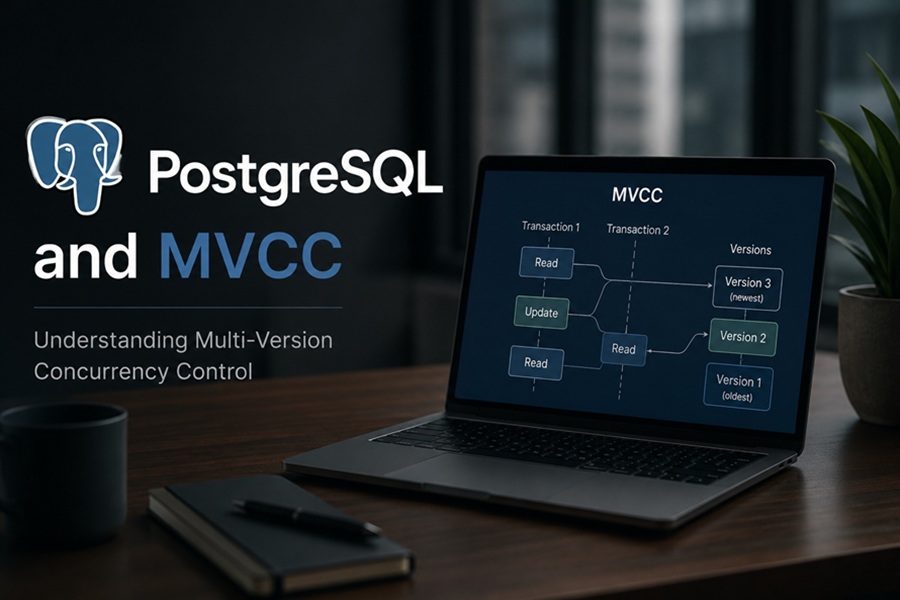
DISCLAIMER: Image is generated using ChatGPT.
I started my programming career with Oracle as my first database, before moving to MySQL, which I used for a long time. Later I returned to Oracle for another five years. Eventually, I transitioned to PostgreSQL, and it has been my database of choice ever since. Overall, I have worked with PostgreSQL more than any other database system.
However, my experience with PostgreSQL, has been as an ordinary user, writing SQL queries to get the job done without ever having the opportunity to look closely under the hood. That changed recently when a friend of mine, a professional DBA, mentioned the term MVCC during a casual conversation.
When I am back to my desk, I decided to lookup official documentation: https://www.postgresql.org/docs/18/mvcc-intro.html
For demo purpose, I am going to use PostgreSQL database running inside a Docker container.
$ docker run --name mvcc_test \
             -e POSTGRES_PASSWORD=secret \
             -p 5432:5432 postgres:latest \
             -d
Now let’s create a demo table as below:
$ docker exec -it mvcc_test psql -U postgres
psql (18.4 (Debian 18.4-1.pgdg13+1))
Type "help" for help.

postgres=# CREATE TABLE mvcc_demo (id INT PRIMARY KEY, balance INT);
CREATE TABLE
postgres=# INSERT INTO mvcc_demo (id, balance) VALUES (1, 100);
INSERT 0 1
postgres=# SELECT * FROM mvcc_demo;
 id | balance
----+---------
  1 |     100
(1 row)
postgres=# EXIT
MVCC is a very deep subject and can’t be done in one sitting. In this post, I will share what I know so far.
For demo purpose, we need two sessions. Let’s call it, Session A and Session B.
Transaction Isolation Levels
Isolation, is the I in ACID. It defines how changes are made by one transaction are visible to other concurrent transactions.
The SQL Standard defines four isolation levels. PostgreSQL implements three of them.
1. Read Committed (Default)
In this level, a statement can only see data committed before the statement began.
If another transaction commits a change while your transaction is running, a subsequent query inside your transaction will see those changes.
Session A
$ docker exec -it mvcc_test psql -U postgres
psql (18.4 (Debian 18.4-1.pgdg13+1))
Type "help" for help.

postgres=# BEGIN;
BEGIN
postgres=*# SELECT balance FROM mvcc_demo WHERE id = 1;
 balance
---------
     100
(1 row)
Session B
$ docker exec -it mvcc_test psql -U postgres
psql (18.4 (Debian 18.4-1.pgdg13+1))
Type "help" for help.

postgres=# BEGIN;
BEGIN
postgres=*# UPDATE mvcc_demo SET balance = 200 WHERE id = 1;
UPDATE 1
postgres=*# COMMIT;
COMMIT
Go back to Session A and run this again:
postgres=*# SELECT balance FROM mvcc_demo WHERE id = 1;
 balance
---------
     200
(1 row)

postgres=*# COMMIT;
COMMIT
The same query run twice inside the same transaction can return different results as noticed in Session A.
2. Repeatable Read
In this level, a transaction sees a snapshot of the database taken when the transaction’s first query begins.
It doesn’t matter what other sessions commit after thati, your data remains frozen in time.
Let’s reset the data back to original.
$ docker exec -it mvcc_test psql -U postgres
psql (18.4 (Debian 18.4-1.pgdg13+1))
Type "help" for help.

postgres=# BEGIN;
BEGIN
postgres=*# UPDATE mvcc_demo SET balance = 100 WHERE id = 1;
UPDATE 1
postgres=*# COMMIT;
COMMIT
Session A
$ docker exec -it mvcc_test psql -U postgres
psql (18.4 (Debian 18.4-1.pgdg13+1))
Type "help" for help.

postgres=# BEGIN TRANSACTION ISOLATION LEVEL REPEATABLE READ;
BEGIN
postgres=*# SELECT balance FROM mvcc_demo WHERE id = 1;
 balance
---------
     100
(1 row)
Session B
postgres=# BEGIN;
BEGIN
postgres=*# UPDATE mvcc_demo SET balance = 200 WHERE id = 1;
UPDATE 1
postgres=*# COMMIT;
COMMIT
postgres=#
Go back to Session A, try this:
postgres=*# SELECT balance FROM mvcc_demo WHERE id = 1;
 balance
---------
     100
(1 row)
We didn’t see the changes from Session B as we are still inside the transaction in Session A.
Now as soon as we complete the transaction in Session A, we see the updated row.
postgres=*# COMMIT;
COMMIT
postgres=# SELECT balance FROM mvcc_demo WHERE id = 1;
 balance
---------
     200
(1 row)
That’s it for this blog, in the next part, I will discuss the two secret columns, xmin and xmax.
It is fascinating to see how this is used in transaction and VACUUM.
Happy Hacking !!!