
DISCLAIMER: Image is generated using ChatGPT.
I was first introduced to GraphQL when I found out that a friend of mine, Pete Sergeant, of Perl Careers sponsored the work GraphQL in 2017.
Ed J is the lead developer of GraphQL. He is also one of the contributors of my CPAN module, Map::Tube.
I bought the book, The Road to GraphQL in 2022. I have yet to finish reading it.
Let’s get to the subject now.
Generally when we build web applications, we traditionally use a REST API. As we know, In REST, you have different endpoints for different pieces of data.
For example, if you want to get information about an author and their books, you might have to make two separate requests:
GET /api/authors/1to get the author’s details.
GET /api/authors/1/booksto get their books.
This often leads to getting more data than you actually need or not getting enough data in one request, leading to multiple trips to the server.
GraphQL solves this by using a single endpoint. Instead of the server deciding what data you get, the client sends a query describing exactly what it wants, and the server returns exactly that.
Every GraphQL API relies on three core ideas:
Schema: A map defined on the server that specifies what data is available, what types they are (Strings, Integers, etc.), and how they relate to each other.
Query: A request sent by the client asking for specific pieces of data.
Resolvers: Functions on the server that actually go and fetch the data for each field in the query.
In Perl, the most robust way to implement GraphQL is using the CPAN module, GraphQL.
We can pair it with a lightweight web framework like Mojolicious::Lite to serve it over the web.
Here is a working example of a simple GraphQL server that handles data for a few books.
Setup
File: mojo-app.pl
#!/usr/bin/env perl

use JSON::PP;
use Mojolicious::Lite -signatures;

use GraphQL::Schema;
use GraphQL::Type::List;
use GraphQL::Type::Object;
use GraphQL::Execution qw(execute);
use GraphQL::Type::Scalar qw($String $Int);
Mock Data Store
my $authors = {
    1 => { name => "J.R.R. Tolkien" },
    2 => { name => "Isaac Asimov"   },
    3 => { name => "Damian Conway"  },
};

my $books = {
    1 => { title => "The Hobbit",          author_id => 1 },
    2 => { title => "Foundation",          author_id => 2 },
    3 => { title => "Perl Best Practices", author_id => 3 },
};
Define GraphQL Types
my ($BookType, $AuthorType);

$BookType = GraphQL::Type::Object->new(
    name        => 'Book',
    description => 'A book in our library',
    fields      => sub {
        {
            id     => { type => $Int },
            title  => { type => $String },
            author => {
                type    => $AuthorType,
                resolve => sub ($book, $args, $context, $info) {
                    my $id = $book->{author_id};
                    return with_id($authors->{$id}, $id);
                },
            },
        },
    },
);

$AuthorType = GraphQL::Type::Object->new(
    name        => 'Author',
    description => 'An author in our library',
    fields      => sub {
        {
            id    => { type => $Int },
            name  => { type => $String },
            books => {
                type    => GraphQL::Type::List->new(of => $BookType),
                resolve => sub ($author, $args, $context, $info) {
                    return [
                        map  { with_id($books->{$_}, $_) }
                        grep { $books->{$_}{author_id} == $author->{id} }
                        keys %$books
                    ];
                },
            },
        },
    },
);

sub with_id ($hashref, $id) {
    return { id => $id, %{ $hashref } };
}
Define Root Query
my $QueryType = GraphQL::Type::Object->new(
    name   => 'Query',
    fields => {
        book => {
            type    => $BookType,
            args    => { id => { type => $Int } },
            resolve => sub ($root, $args, $context, $info) {
                my $id = $args->{id};
                return with_id($books->{$id}, $id);
            },
        },
        allBooks    => {
            type    => GraphQL::Type::List->new(of => $BookType),
            resolve => sub {
                [ map { with_id($books->{$_}, $_) } keys %$books ]
            },
        },
        author => {
            type    => $AuthorType,
            args    => { id => { type => $Int } },
            resolve => sub ($root, $args, $context, $info) {
                my $id = $args->{id};
                return with_id($authors->{$id}, $id);
            },
        },
        allAuthors  => {
            type    => GraphQL::Type::List->new(of => $AuthorType),
            resolve => sub {
                [ map { with_id($authors->{$_}, $_) } keys %$authors ]
            },
        },
    },
);
Build Schema
my $schema = GraphQL::Schema->new(query => $QueryType);
Define Web Route
post '/graphql' => sub ($c) {
    my $json_payload = $c->req->json;
    my $query        = $json_payload->{query};
    my $variables    = $json_payload->{variables} // {};

    my $result = execute($schema, $query, undef, undef, $variables);
    my $json   = JSON::PP->new->pretty->encode($result);

    $c->res->headers->content_type('application/json');
    $c->render(text => $json);
};
Start App
app->start;
We are ready to test the application.
In one terminal we start the application as below:
$ perl mojo-app.pl daemon
[2026-06-05 00:53:09.72273] [533568] [info] Listening at "http://*:3000"
Web application available at http://127.0.0.1:3000
In another terminal, we start query the application.
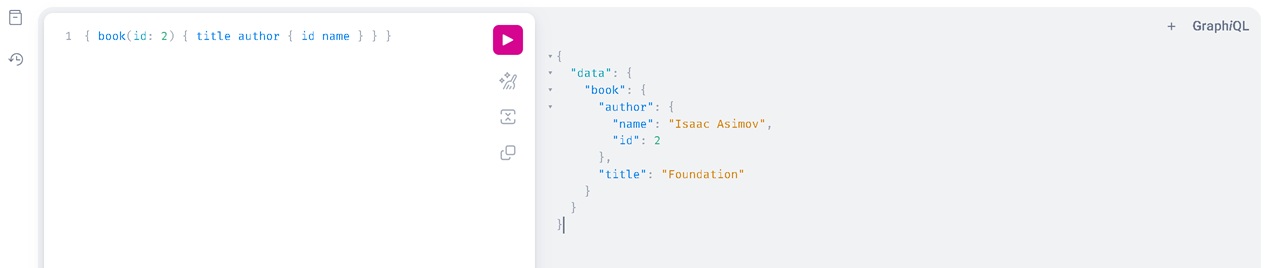
Search Book
Here we search book with id 2 and we want book title and it’s author’s id and name.
$ curl -X POST http://127.0.0.1:3000/graphql \
       -H "Content-Type: application/json" \
       -d '{"query": "{ book(id: 2) { title author { id name } } }"}'
{
   "data" : {
      "book" : {
         "author" : {
            "name" : "Isaac Asimov",
            "id" : 2
         },
         "title" : "Foundation"
      }
   }
}
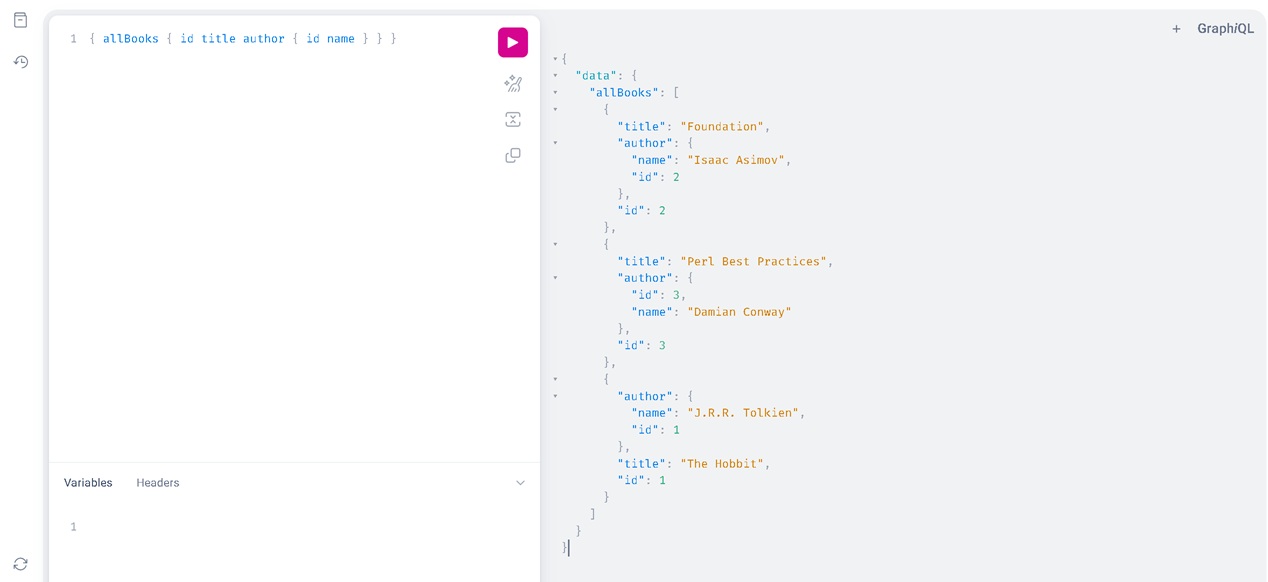
Fetch All Boks
Now we want all books and return book’s id and title alongwith it’s author’s id and name.
$ curl -X POST http://127.0.0.1:3000/graphql \
       -H "Content-Type: application/json" \
       -d '{"query": "{ allBooks { id title author { id name } } }"}'
{
   "data" : {
      "allBooks" : [
         {
            "title" : "Perl Best Practices",
            "id" : 3,
            "author" : {
               "name" : "Damian Conway",
               "id" : 3
            }
         },
         {
            "author" : {
               "name" : "Isaac Asimov",
               "id" : 2
            },
            "id" : 2,
            "title" : "Foundation"
         },
         {
            "author" : {
               "name" : "J.R.R. Tolkien",
               "id" : 1
            },
            "title" : "The Hobbit",
            "id" : 1
         }
      ]
   }
}
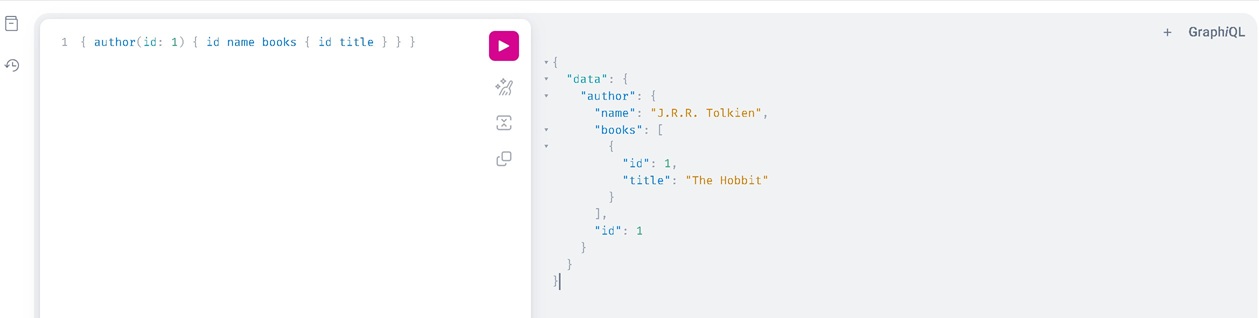
Search Author
Now we search an author with id 1 and we want author’s id and name alongwith all his book’s id and title.
$ curl -X POST http://127.0.0.1:3000/graphql \
       -H "Content-Type: application/json" \
       -d '{"query": "{ author(id: 1) { id name books { id title } } }"}'
{
   "data" : {
      "author" : {
         "id" : 1,
         "name" : "J.R.R. Tolkien",
         "books" : [
            {
               "id" : 1,
               "title" : "The Hobbit"
            }
         ]
      }
   }
}
Search All Authors
List all authors id and name with his book’s id and title.
$ curl -X POST http://127.0.0.1:3000/graphql \
       -H "Content-Type: application/json" \
       -d '{"query": "{ allAuthors { id name books { id title } } }"}'
{
   "data" : {
      "allAuthors" : [
         {
            "name" : "Isaac Asimov",
            "id" : 2,
            "books" : [
               {
                  "id" : 2,
                  "title" : "Foundation"
               }
            ]
         },
         {
            "name" : "Damian Conway",
            "id" : 3,
            "books" : [
               {
                  "title" : "Perl Best Practices",
                  "id" : 3
               }
            ]
         },
         {
            "name" : "J.R.R. Tolkien",
            "books" : [
               {
                  "title" : "The Hobbit",
                  "id" : 1
               }
            ],
            "id" : 1
         }
      ]
   }
}
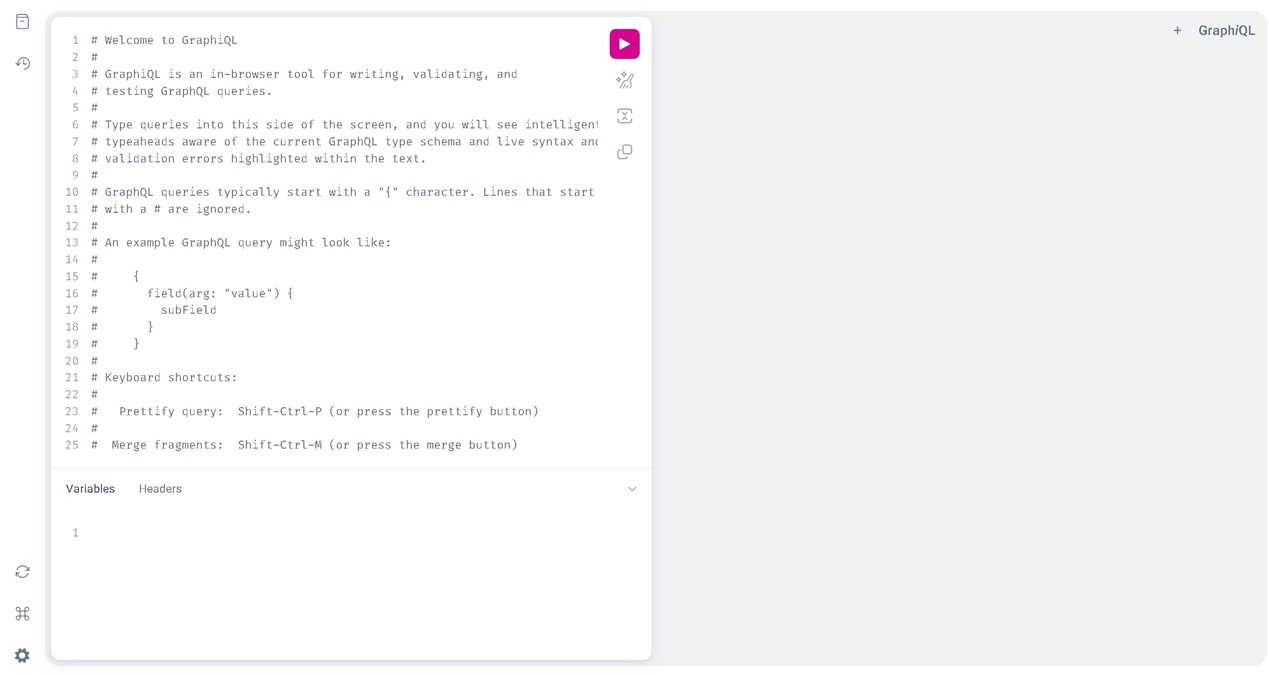
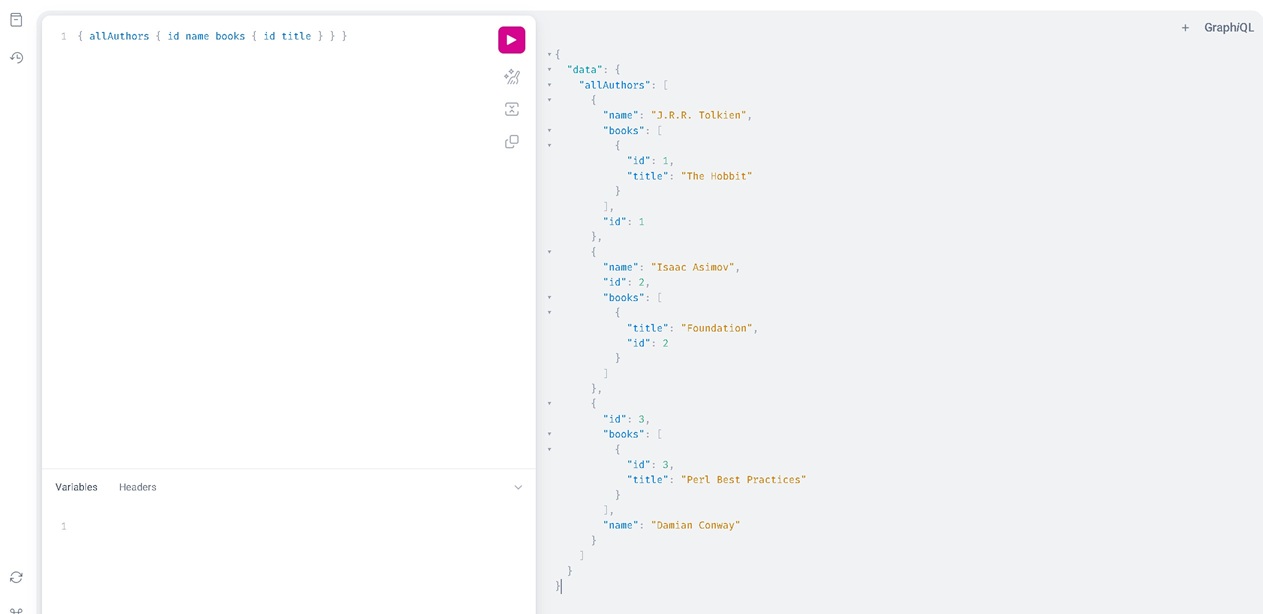
Do you want web interface to perform the same query?
GraphiQL is the official, interactive, in-browser IDE for building and testing GraphQL APIs.
We can add the following web route to the application to access the GraphiQL web interface..
get '/graphql' => sub ($c) {
    $c->render(inline => <<'EOF');
<!DOCTYPE html>
<html lang="en">
<head>
  <meta charset="utf-8" />
  <title>GraphiQL Playground</title>
  <style>
    body { height: 100vh; margin: 0; overflow: hidden; }
    #graphiql { height: 100%; }
  </style>
  <link rel="stylesheet" href="https://cdnjs.cloudflare.com/ajax/libs/graphiql/3.0.7/graphiql.min.css" />
  <script src="https://cdnjs.cloudflare.com/ajax/libs/react/18.2.0/umd/react.production.min.js"></script>
  <script src="https://cdnjs.cloudflare.com/ajax/libs/react-dom/18.2.0/umd/react-dom.production.min.js"></script>
  <script src="https://cdnjs.cloudflare.com/ajax/libs/graphiql/3.0.7/graphiql.min.js"></script>
</head>
<body>
  <div id="graphiql">Loading...</div>
  <script>
    window.addEventListener('load', function() {
      const fetcher = GraphiQL.createFetcher({ url: '/graphql' });
      const root = ReactDOM.createRoot(document.getElementById('graphiql'));
      root.render(
        React.createElement(GraphiQL, {
          fetcher: fetcher,
          defaultEditorToolsVisibility: true
        })
      );
    });
  </script>
</body>
</html>
EOF
};
Now restart the application and visit http://127.0.0.1:3000/graphql in your favourite browser.
This is what you would get:
Happy Hacking !!!