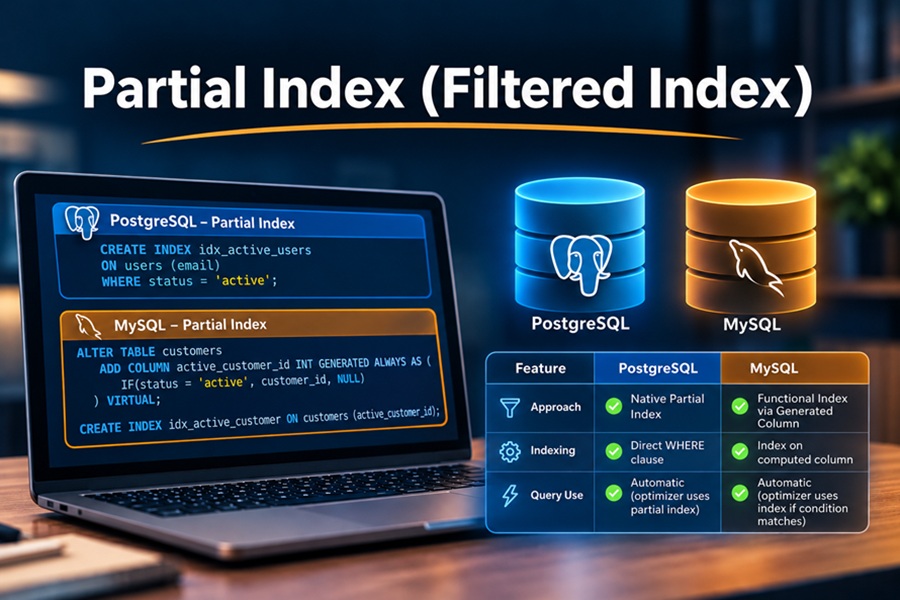
DISCLAIMER: Image is generated using ChatGPT.
Confession time, I have never heard of this term, Partial Index, in my entire programming career. I was having deep conversation about database performance with my friend (DBA by profession) and this term just popped out.
As always, I decided to dig deep and find out more about it.
A Partial Index (also called a Filtered Index) is an index built over a subset of rows in a table, defined by a WHERE clause.
Standard indexes map every single row in a table where as a partial index only includes rows that satisfy its specific condition.
PostgreSQL has supported partial indexes since version 7.2 using a WHERE clause in CREATE INDEX.
MySQL does not support a WHERE clause in CREATE INDEX statements.
However, you can mimic a partial index in MySQL (8.0+) using Virtual Generated Columns or Functional Indexes that return NULL for excluded rows (since MySQL skips NULL values in standard B-tree index paths).
Let setup docker container quickly, so that we demo this behaviour.
Docker Configuraton
File: docker-compose.yml
services:
  postgres-db:
    image: postgres:latest
    container_name: demo_postgres
    restart: always
    environment:
      POSTGRES_USER: demo_user
      POSTGRES_PASSWORD: demo_password
      POSTGRES_DB: demo_db
    ports:
      - "5434:5432"

  mysql-db:
    image: mysql:latest
    container_name: demo_mysql
    restart: always
    environment:
      MYSQL_ROOT_PASSWORD: demo_password
      MYSQL_DATABASE: demo_db
      MYSQL_USER: demo_user
      MYSQL_PASSWORD: demo_password
    ports:
      - "3307:3306"

volumes:
  pgdata:
  mysqldata:
Start Container
$ docker compose up -d
[+] up 3/3
 ✔ Network partial-index_default Created                                0.0s
 ✔ Container demo_postgres       Started                                0.3s
 ✔ Container demo_mysql          Started                                0.4s
PostgreSQL
Lets open a connection to PostgreSQL session:
$ docker exec -it demo_postgres psql -U demo_user -d demo_db
psql (18.4 (Debian 18.4-1.pgdg13+1))
Type "help" for help.

demo_db=#
Create table orders first:
demo_db=# CREATE TABLE orders (
    id          SERIAL PRIMARY KEY,
    customer_id INT,
    status      VARCHAR(20),
    amount      DECIMAL(10,2)
);
CREATE TABLE
demo_db=#
Populate sample data:
demo_db=# INSERT INTO orders (customer_id, status, amount)
SELECT
    (random() * 1000)::int,
    CASE WHEN random() < 0.9 THEN 'completed' ELSE 'pending' END,
    (random() * 500)::numeric(10,2)
FROM generate_series(1, 100000);
INSERT 0 100000
demo_db=#
Create the Partial Index:
demo_db=# CREATE INDEX idx_postgres_pending_orders
ON orders (customer_id)
WHERE status = 'pending';
CREATE INDEX
demo_db=#
Verify Execution Plan:
demo_db=# EXPLAIN ANALYZE SELECT * FROM orders WHERE customer_id = 42 AND status = 'pending';
                                                               QUERY PLAN
----------------------------------------------------------------------------------------------------------------------------------------
 Bitmap Heap Scan on orders  (cost=4.36..40.99 rows=10 width=23) (actual time=0.025..0.030 rows=6.00 loops=1)
   Recheck Cond: ((customer_id = 42) AND ((status)::text = 'pending'::text))
   Heap Blocks: exact=6
   Buffers: shared hit=6 read=2
   ->  Bitmap Index Scan on idx_postgres_pending_orders  (cost=0.00..4.36 rows=10 width=0) (actual time=0.018..0.018 rows=6.00 loops=1)
         Index Cond: (customer_id = 42)
         Index Searches: 1
         Buffers: shared read=2
 Planning:
   Buffers: shared hit=52 read=2
 Planning Time: 0.416 ms
 Execution Time: 0.065 ms
(12 rows)
You can clearly see, PostgreSQL uses an Index Scan using idx_postgres_pending_orders because the WHERE condition matches the index filter.
If you search for status = ‘completed’, PostgreSQL skips this index entirely and runs a Sequential Scan.
demo_db=# EXPLAIN ANALYZE SELECT * FROM orders WHERE customer_id = 42 AND status = 'completed';
                                               QUERY PLAN
---------------------------------------------------------------------------------------------------------
 Seq Scan on orders  (cost=0.00..2227.00 rows=89 width=23) (actual time=0.036..4.988 rows=93.00 loops=1)
   Filter: ((customer_id = 42) AND ((status)::text = 'completed'::text))
   Rows Removed by Filter: 99907
   Buffers: shared hit=727
 Planning:
   Buffers: shared hit=3 read=3
 Planning Time: 0.407 ms
 Execution Time: 5.015 ms
(8 rows)
MySQL
Let’s connect to MySQL database session using password, demo_password.
$ docker exec -it demo_mysql mysql -u demo_user -p demo_db
Enter password:
Welcome to the MySQL monitor.  Commands end with ; or \g.
Your MySQL connection id is 9
Server version: 9.7.1 MySQL Community Server - GPL

Copyright (c) 2000, 2026, Oracle and/or its affiliates.

Oracle is a registered trademark of Oracle Corporation and/or its
affiliates. Other names may be trademarks of their respective
owners.

Type 'help;' or '\h' for help. Type '\c' to clear the current input statement.

mysql>
Create table, orders:
mysql> CREATE TABLE orders (
    ->     id          INT AUTO_INCREMENT PRIMARY KEY,
    ->     customer_id INT,
    ->     status      VARCHAR(20),
    ->     amount      DECIMAL(10,2)
    -> );
Query OK, 0 rows affected (0.030 sec)
mysql>
Populate sample data, first increasing the maximum recursion depth.
mysql> SET SESSION cte_max_recursion_depth = 100000;
Query OK, 0 rows affected (0.001 sec)

mysql> INSERT INTO orders (customer_id, status, amount)
    -> WITH RECURSIVE seq AS (
    ->     SELECT 1 AS n
    ->     UNION ALL
    ->     SELECT n + 1 FROM seq WHERE n < 100000
    -> )
    -> SELECT
    ->     FLOOR(RAND() * 1000),
    ->     IF(RAND() < 0.9, 'completed', 'pending'),
    ->     ROUND(RAND() * 500, 2)
    -> FROM seq;
Query OK, 100000 rows affected (0.365 sec)
Records: 100000  Duplicates: 0  Warnings: 0

mysql>
Now create the simulated Partial Index.
Add a virtual column that returns customer_id ONLY for ‘pending’ orders.
mysql> ALTER TABLE orders
    -> ADD COLUMN pending_customer_id INT GENERATED ALWAYS AS (
    ->     IF(status = 'pending', customer_id, NULL)
    -> ) VIRTUAL;
Query OK, 0 rows affected (0.017 sec)
Records: 0  Duplicates: 0  Warnings: 0
Index the virtual column:
mysql> CREATE INDEX idx_mysql_pending_orders ON orders (pending_customer_id);
Query OK, 0 rows affected (0.142 sec)
Records: 0  Duplicates: 0  Warnings: 0

mysql>
Verify Execution Plan
Index Lookup (Reads ~10 rows directly via B-tree)
mysql> EXPLAIN SELECT * FROM orders WHERE pending_customer_id = 42;
+----------------------------------------------------------------------------------------------------------+
| EXPLAIN                                                                                                  |
+----------------------------------------------------------------------------------------------------------+
| -> Index lookup on orders using idx_mysql_pending_orders (pending_customer_id = 42)  (cost=3.5 rows=10)  |
+----------------------------------------------------------------------------------------------------------+
1 row in set (0.009 sec)
Full Table Scan (Reads all ~100,000 rows from disk)
mysql> EXPLAIN SELECT * FROM orders WHERE customer_id = 42 AND status = 'pending';
+--------------------------------------------------------------------------------------------------+
| EXPLAIN                                                                                          |
+--------------------------------------------------------------------------------------------------+
| -> Filter: ((orders.`status` = 'pending') and (orders.customer_id = 42))  (cost=10073 rows=1000) |
|    -> Table scan on orders  (cost=10073 rows=100007)                                             |
+--------------------------------------------------------------------------------------------------+
1 row in set (0.005 sec)
Happy Hacking !!!